Well-organised Microsoft 365, at any scale — and it stays that way.
Kybera IMpact lets your organisation define the standard once — Teams and sites, libraries and metadata — so people can serve themselves within it. Then it keeps every workspace aligned through template updates and reorganisations.
You should not have to choose.
Provisioning on its own
People create sites and Teams themselves, or through a provisioning tool. It is quick, but they are left with an empty space and still need somewhere proper to put their content. Every area ends up organised differently, mostly in folders, with little metadata and no common standard.
Designing area by area
You work with each part of the business to design its spaces. The result can be good, but it goes one area at a time, can take years to bring everyone on board, and drifts once attention moves on.
Kybera IMpact: fast, at scale, and to standard.
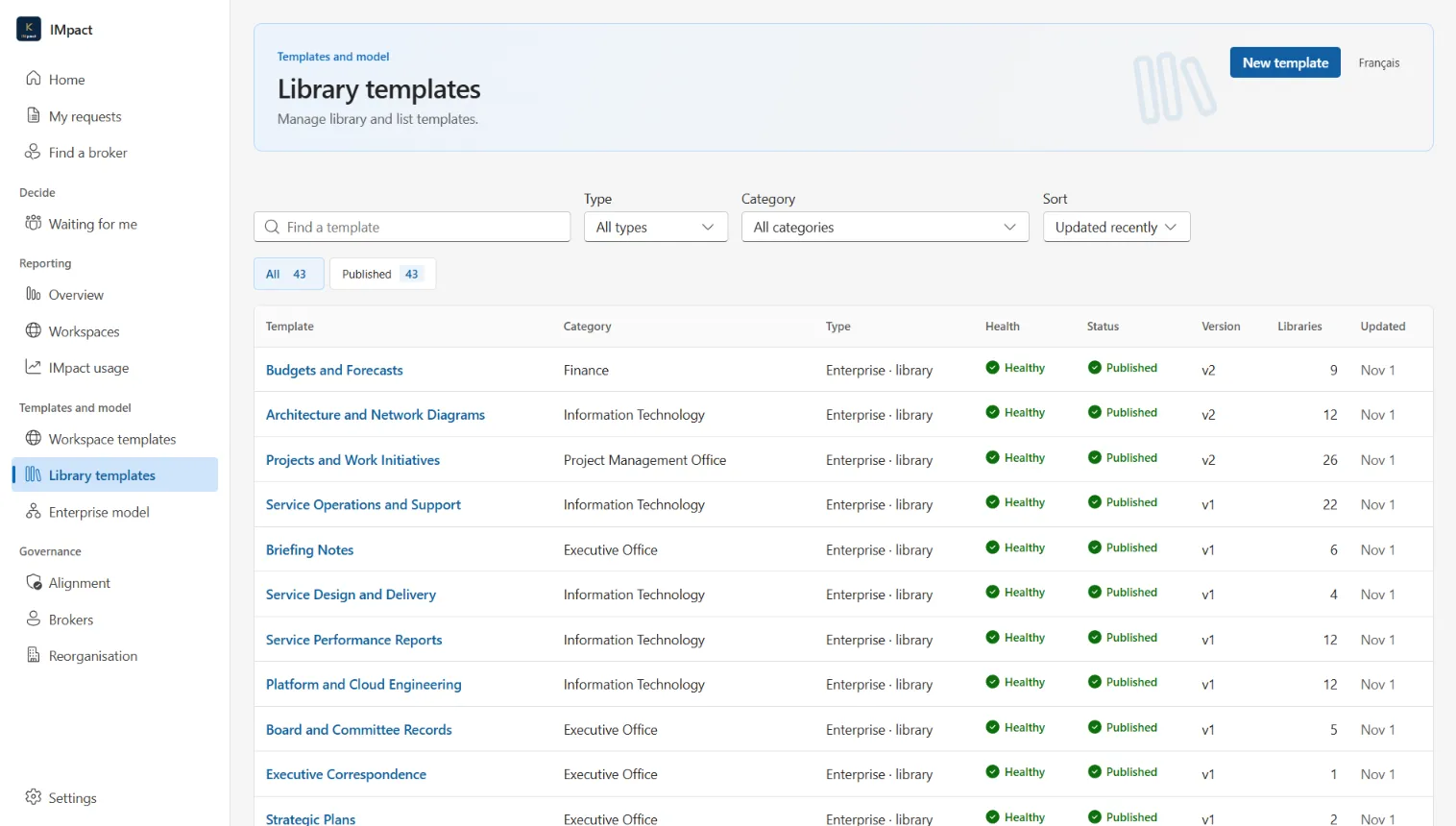
- You design once.Library templates built on your content types and metadata, and workspace templates people can request.
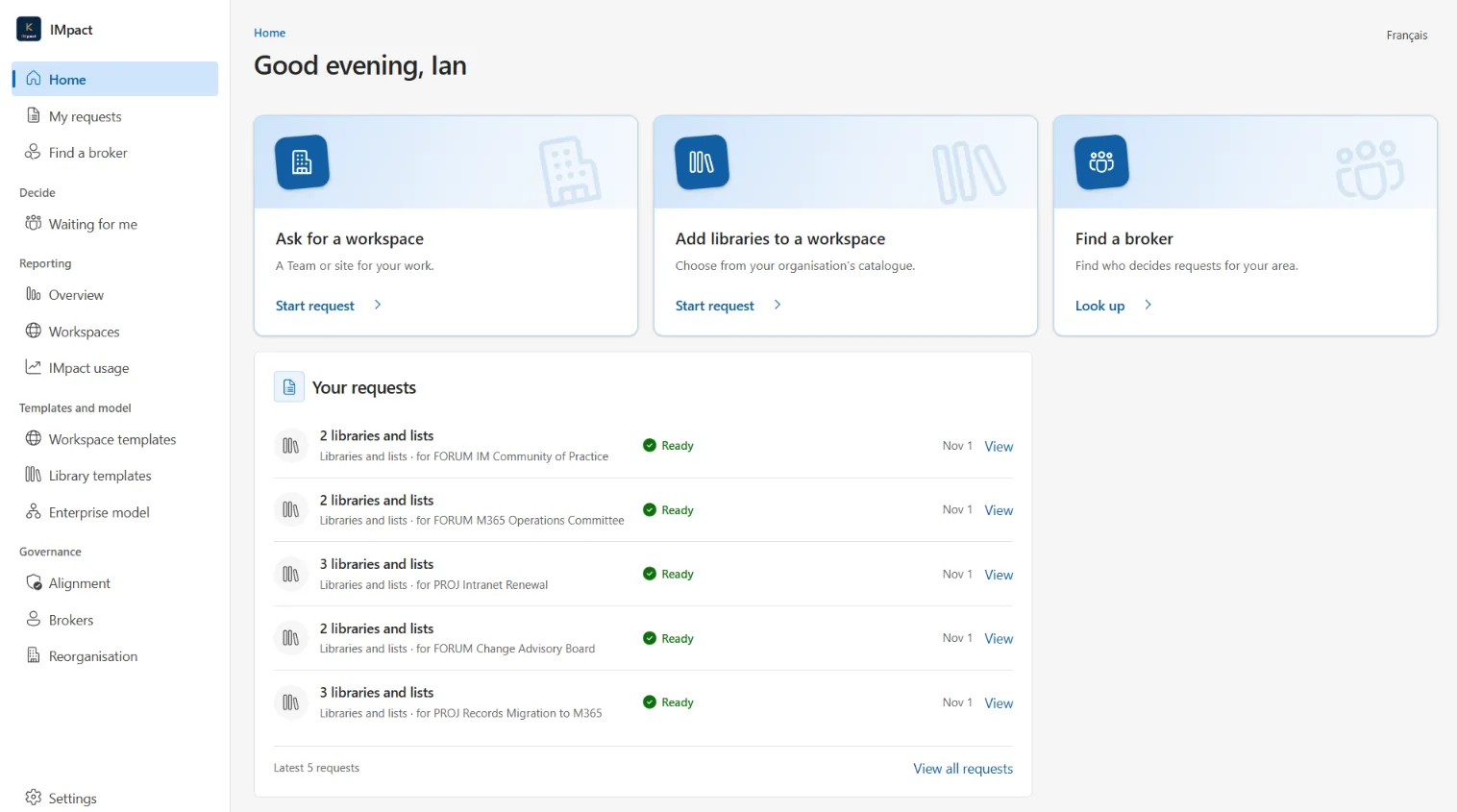
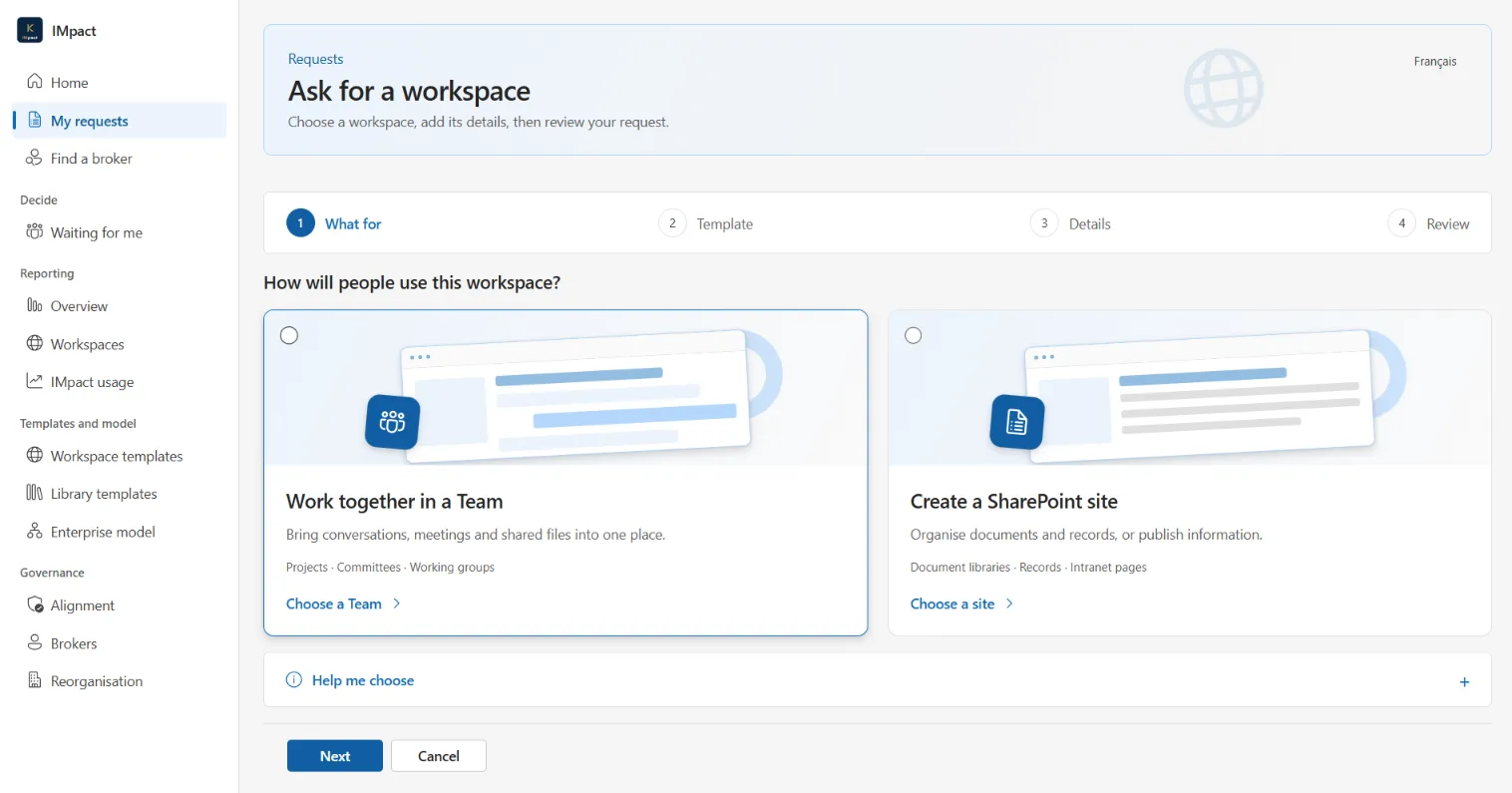
- The business builds from it.People ask for a Team or site, then add the libraries they need from a catalogue, without waiting on a specialist.
- Brokers decide.Named people in each business area approve for their own area, because they know it best.
Every business area gets the same standards at the same time, instead of one business line after another.
Provisioning is only the tip of the iceberg.
Most provisioning tools answer one question: “Can I get a Team?” That is day one, and it is the easy part. Everything under the water is every day after.
- Who owns this workspace, and who decides for it?
- Is it being used the way it was designed?
- When a template improves, do existing workspaces get the change?
- When the organisation is restructured, does the estate follow?
- Can your Purview policies reach every Team and site in a business area, or built from a template, automatically?
A container is just a place to put files.
The value is in the libraries: your content types, columns and terms. With IMpact, a team that needs to keep contracts does not design a contracts library. They choose one, and it arrives with the right columns and views.
That consistency is what everything else depends on. “Show me contracts expiring this quarter” only works if every contracts library records its expiry date the same way.
Ready for AI, and everything else
Think of Copilot as a GPS: it is only as good as the addresses. Organised, consistently tagged content gives it something reliable to work from.
- More accurate answers from Copilot and search
- Retention, disposition and eDiscovery that can target the right content
- Workflows and automation built once, working in every library of the same kind
- Reporting across business areas that compares like with like
From the first request to every day after.
Design the standard once, from real sites.
Whoever sets your standards, from an information management team to IT or a few experts in the business, builds a library, Team or site the way it should be, then captures it as a template. No scripts, no developers.
- Library templates for every kind of content your organisation keeps, each with its content types, columns and views
- One enterprise model of content types and terms, in English and French
- Try any template in a test workspace before the business sees it
- Every template checked daily, so nobody is offered one that would fail
- Portable templates: design and test in a development environment, then move them to production or another tenant
Self-service the business will actually use.
People ask for what they need in their own organisation’s words, and get a workspace that already works — libraries included.
- A catalogue of workspaces and libraries, showing only what each person may use
- Similar existing workspaces shown before a new one is made, to avoid duplicates
- Brokers in the business approve for their own area; requests are never lost or rejected by a timer
- A library catalogue that works like a store: choose up to ten and add them to a workspace
- Names, descriptions and email in English and French
Every workspace belongs to part of the business.
Ownership is recorded as an organisational unit, not a person who might leave, and it travels with the workspace into its libraries and documents.
- Business ownership on every workspace, library and new document
- Built for Purview adaptive scopes: target retention and other policies by business area or template, and new Teams and sites are covered automatically
- Named brokers for each area, with a simple handover when people move on
- Your organisation structure read from your own term store, in both languages
Standards that stay true over time.
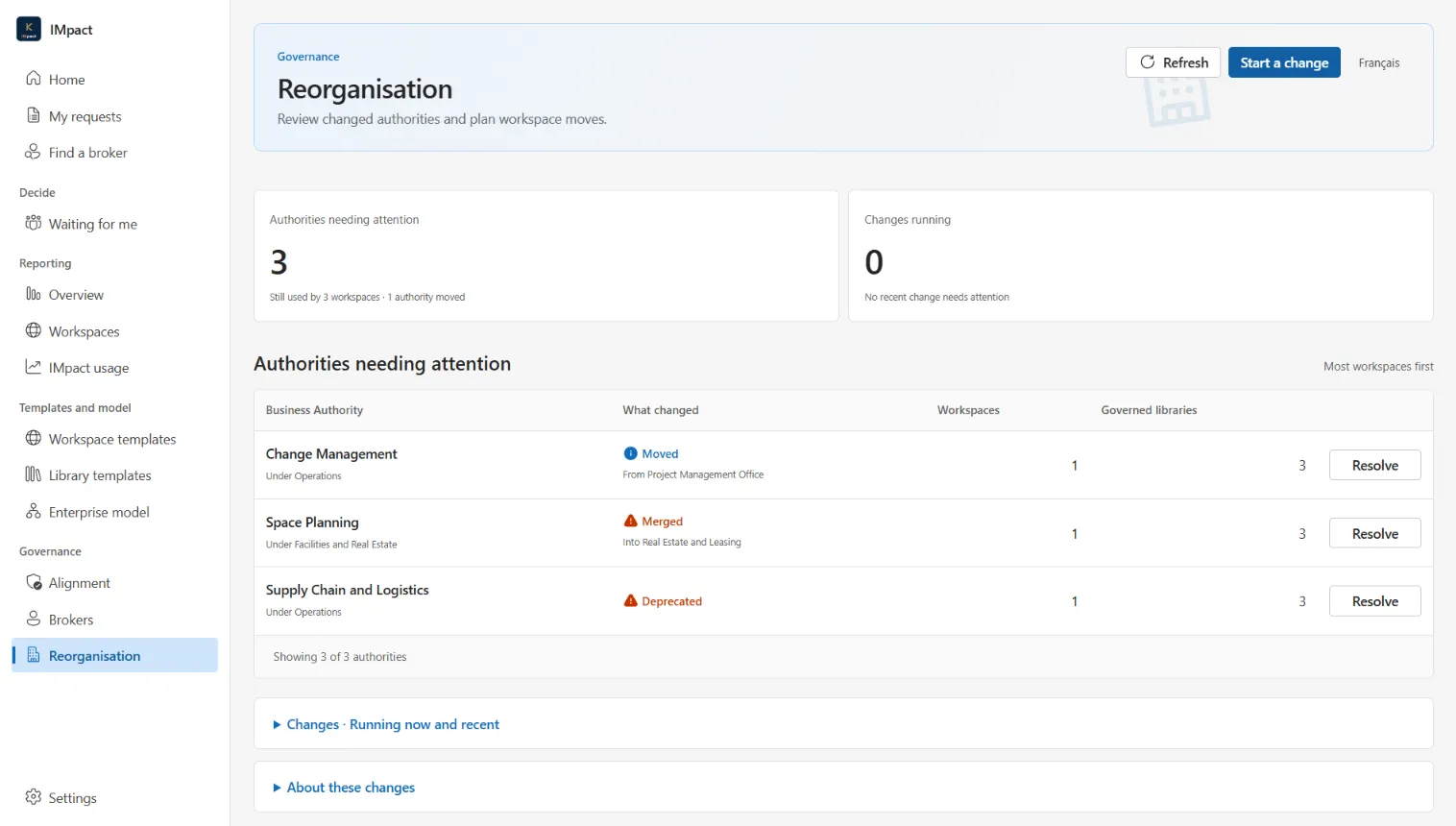
When you improve a template, the workspaces already built from it can follow. When the organisation changes, the estate follows too.
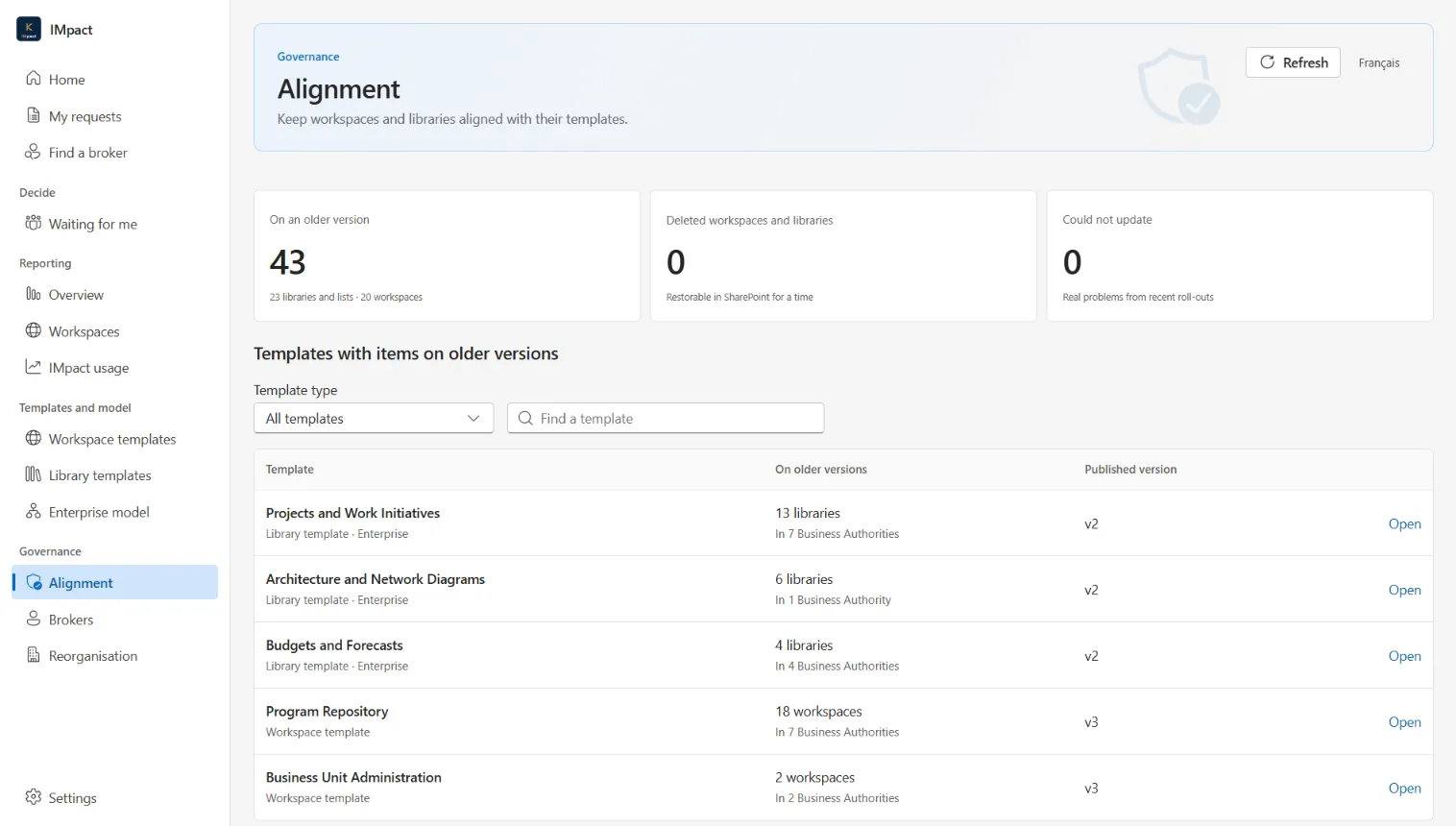
- See which workspaces are behind their template, and why
- Roll a new template version out to existing workspaces, after an exact preview of the changes
- Nothing is ever taken away: owners’ own pages, navigation and columns are left alone
- Reorganisations carried to every affected workspace, library and hub in one step
- A governance history of who asked, who approved and what was built
Is your information strategy actually working?
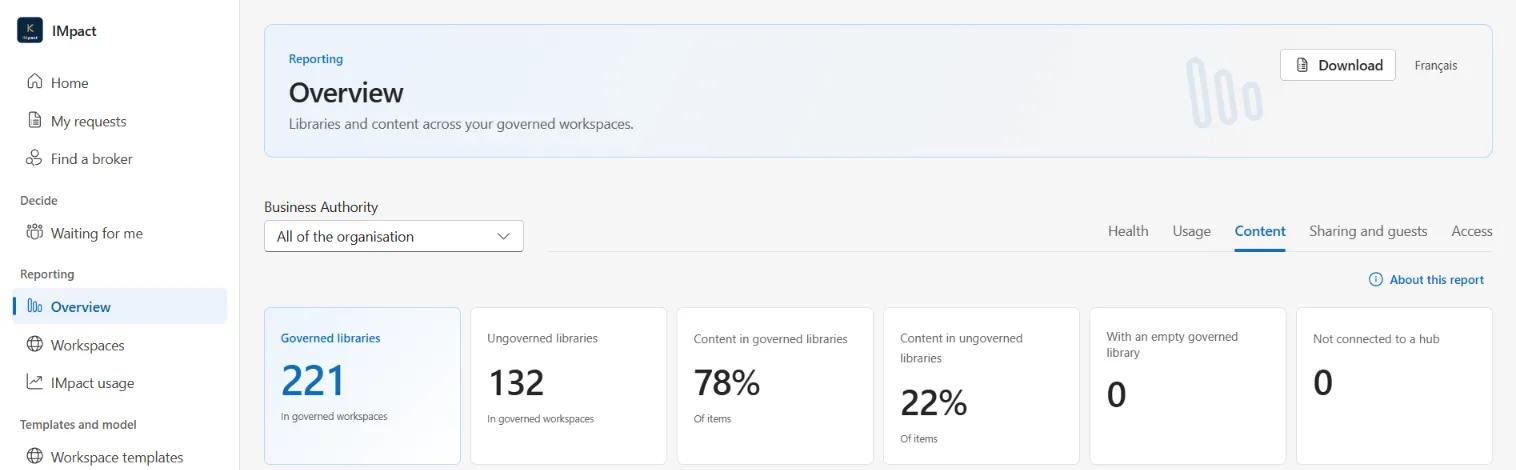
Most reports watch what Microsoft watches: guests, sharing and inactive sites. IMpact reports on those too, and then answers the question that matters most: is your content organised the way you intended?
- Is content stored in governed libraries with metadata, or in folders in the default Documents library?
- Are owners working around a template by adding their own columns? That tells you what its next version needs.
- Which templates are used, which are not, and how long decisions take
- Every workspace shown as healthy, watch or at risk, always with the reason, rolled up by business area
- How many workspaces exist outside governance, counted across the tenant
Every view downloads to Excel, and the report data stays in your own SharePoint, ready for your own Power BI reports.
Your tenant, your data, your languages.
Runs entirely in your tenant
IMpact installs in your own Microsoft 365 and Azure environment. There is no Kybera-hosted service, and it never contacts Kybera.
Canadian data residency
Every Azure component can be deployed in Canadian regions, so your data can stay in Canada.
No premium licences
IMpact works with the Microsoft 365 licences you already have. No Power Platform premium, no per-user add-ons.
English and French throughout
Every screen, message and email, in both languages.
A native Teams app
Built with Microsoft’s own Fluent 2 design, in light and dark themes, where your people already work.
Accessible by design
WCAG 2.2 AA is the design standard for every screen, message and exported document.
Licensed perpetually for your tenant, with a key that is checked offline. Contact us to discuss purchasing, including through public-sector procurement.
See it with your own information in mind.
A one-hour demonstration of Kybera IMpact, with time for your questions.